Troubleshooting an AM array

Today, there will be a quiz.

Recently, we had an AM antenna array go out of tolerance by a good margin.  This has been repaired, however, I thought I’d post this information and see if anybody could identify the problem and the solution. Unfortunately, I don’t have prizes to give away, however, you can show off your AM engineering prowess.

All of the information is pertinent:

  1. The station has two directional arrays (DA-2) using the same towers; the nighttime array is out of tolerance, and the daytime array is not affected and is performing normally.
  2. There were no weather events connected with this event; no electrical storms, no major temperature changes, no rain events, no freezing or thawing, etc.
  3. The problem happened all at once, one day the array was performing normally, and the next day it was not.
  4. Station management reports that some listeners were complaining that they could no longer hear the station.
  5. The ATUs and phasor were inspected; all RF contactors were in the proper position, no damaged or burned finger stock and no evidence of damaged components (inductors or capacitors) was observed.  Several mouse nests were cleaned out of the ATUs, however, this did not change the out-of-tolerance antenna readings.
  6. The towers are 1/4 wave (90 electrical degrees) tall.

Readings:

TowerPhase angle as licensedCurrent ratio as licensedPhase angle as readCurrent ratio as read
1147.20.583149.50.396
2 (reference)01.0001.00
3-1370.493-125.80.798
4107.50.48192.70.355
5-38.10.737-60.20.623
6-178.70.382142.80.305

Licensed values for common point current is 13 amps, impedance is 50 ohms j0 and there is normally no reflected power on the transmitter.  On this day, the common point current readings were 8.9 amps, impedance 38.5 ohms +j5 the transmitter had 340 watts of reflected power.

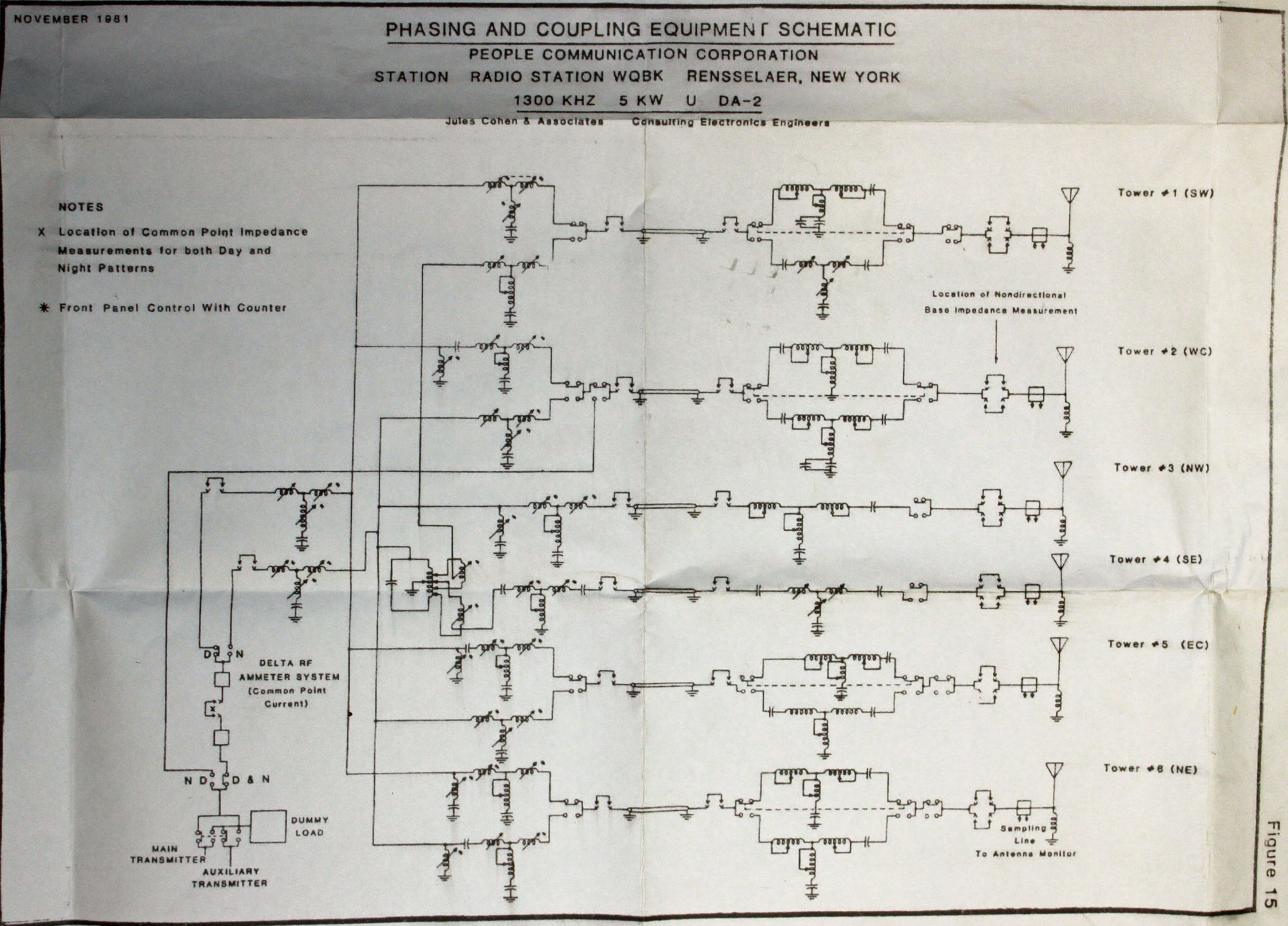
This is the overall schematic of the phasor and ATU:

WDGJ overall RF schematic diagram
WGDJ overall RF schematic diagram, click for higher resolution

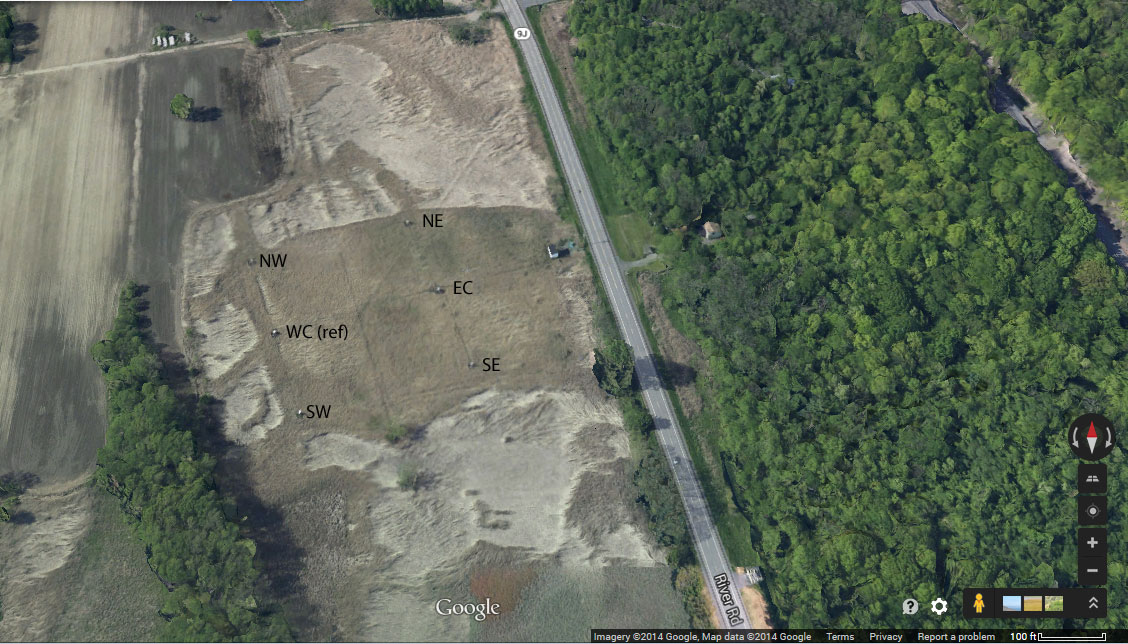
Aerial view of the transmitter site, oriented north:

WGDJ aerial view showing towers as identified in schematic diagram
WGDJ aerial view showing towers as identified in the schematic diagram

So, where would you begin?  Ask questions in the comments section.

Filtering for co-located FM transmitters

Well-sited FM transmitter locations usually want some height above average terrain. This means either a tall tower or a high hill or mountain. Once a site is developed, co-location of other FM transmitters often happens because sites are expensive to develop. A second station can save money by using existing facilities.

For all those newly permitted LPFM stations; pay attention. If you are going to be co-located at an existing FM broadcast site, you may need to do this too.

Interference from intermodulation mixing products can develop when FM transmitting antennas are in close proximity.  This is especially true with solid state, broadband PA commonly used in today’s VHF FM transmitters.  Thus, when antennas are closely placed, external filtering is required.

WUPE FM transmitter site, North Adams, MA

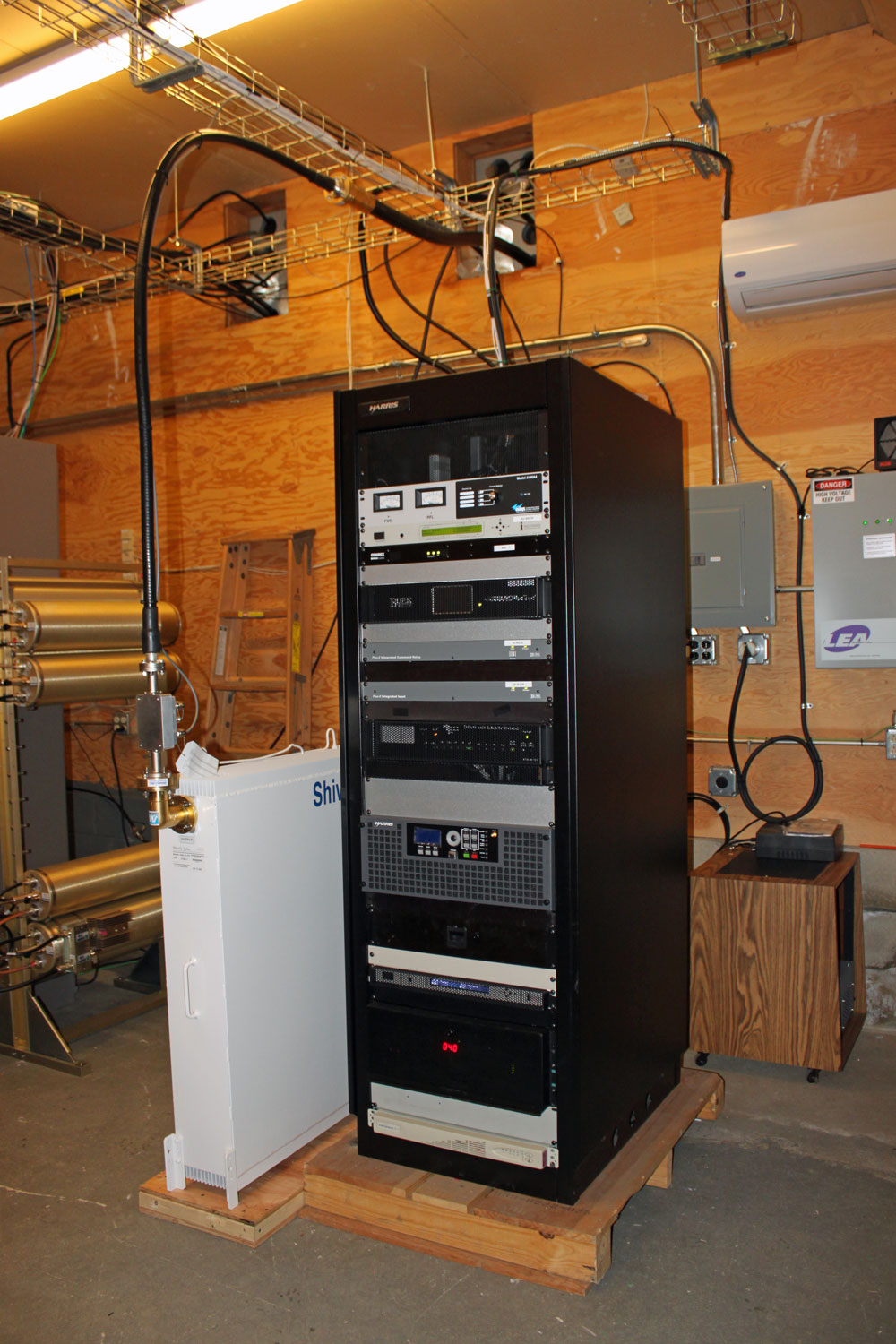
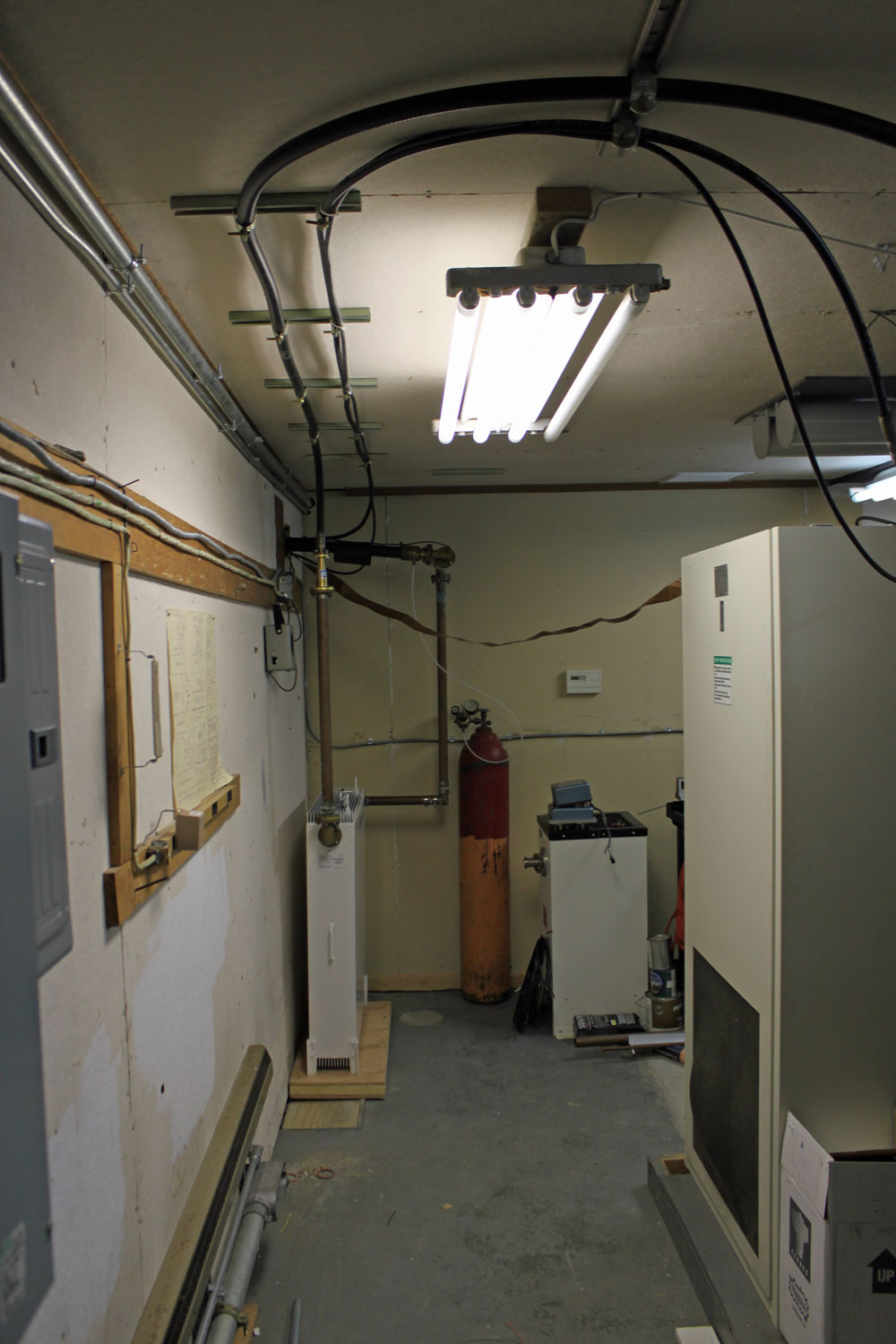
This is the case with a current project in North Adams, Massachusetts.  New England Public Radio is placing WNNI on the air from the WUPE-FM site.  WNNI is using one of those new Harris (now GatesAir?) Flexiva transmitters and WUPE-FM uses a Crown FM-2000A.  The antennas are on separate towers, but the towers are in very close proximity, about 30 feet apart.  In order to avoid any possible problems, a Shively 2602-3A-FB 3 pole filter was installed on each station.  The filter is a bandpass for the station installed and a notch for the other station.

The primary concern here is mixing products between the two transmitters.  Both have broadband solid-state amplifiers with low-pass filters before the output connector.  There are three frequencies of interest;

  1. (F1 – F2) + F1 or (100.1 MHz – 98.9 MHz ) + 100.1 MHz = 101.3 MHz
  2. F2 – (F1 – F2) or 98.9 MHz – (100.1MHz  – 98.9MHz) = 97.3 MHz
  3. F2 + F1 or 100.1 MHz + 98.9 MHz = 199 MHz

That, plus harmonic measurements out to three or four harmonics of the fundamental frequency should be enough to demonstrate compliance with FCC out-of-band emissions standards.

Measurements on these frequencies must meet the emissions standards outlined in FCC 73.317 (d), which states:

Any emission appearing on a frequency removed from the carrier by more than 600 kHz must be attenuated at least 43 + 10 Log10 (Power, in watts) dB below the level of the unmodulated carrier, or 80 dB, whichever is the lesser attenuation.

It is also noted that this site has several cellular carriers and no doubt has or will have LTE at some point. We all know that rural LTE installations can create self-induced problems, which are then conveniently blamed on the nearest broadcast station because, hey, why not?

To further complicate matters, New England Public Radio also has a translator, W266AW (101.1 MHz) on the same tower as WNNI.  The same measurements noted above must be repeated for the translator.

WNNI FM transmitter and Shively filter

WNNI equipment rack.  This is one of those new Harris (GatesAir?) Flexiva FM transmitters.

WUPE-FM Shively Filter

WUPE FM filter installation

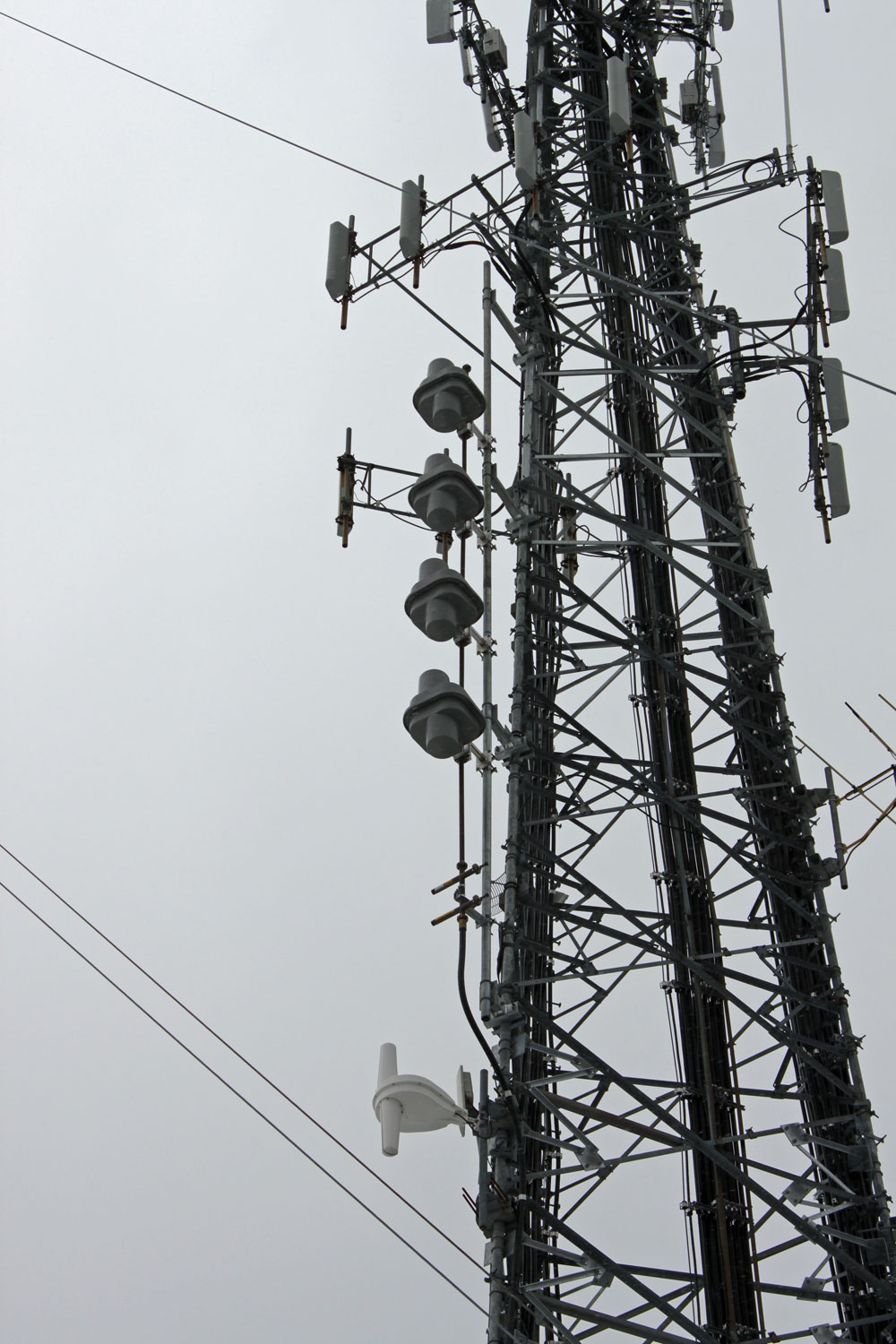
wave spaced Shively antenna.  Antenna for W266AW below
WNNI 4 bay half wave spaced Shively antenna. Antenna for W266AW below

New WNNI antenna mounted on cell tower next to WUPE-FM tower. The W266AW translator antenna is directly below WNNI’s main antenna.

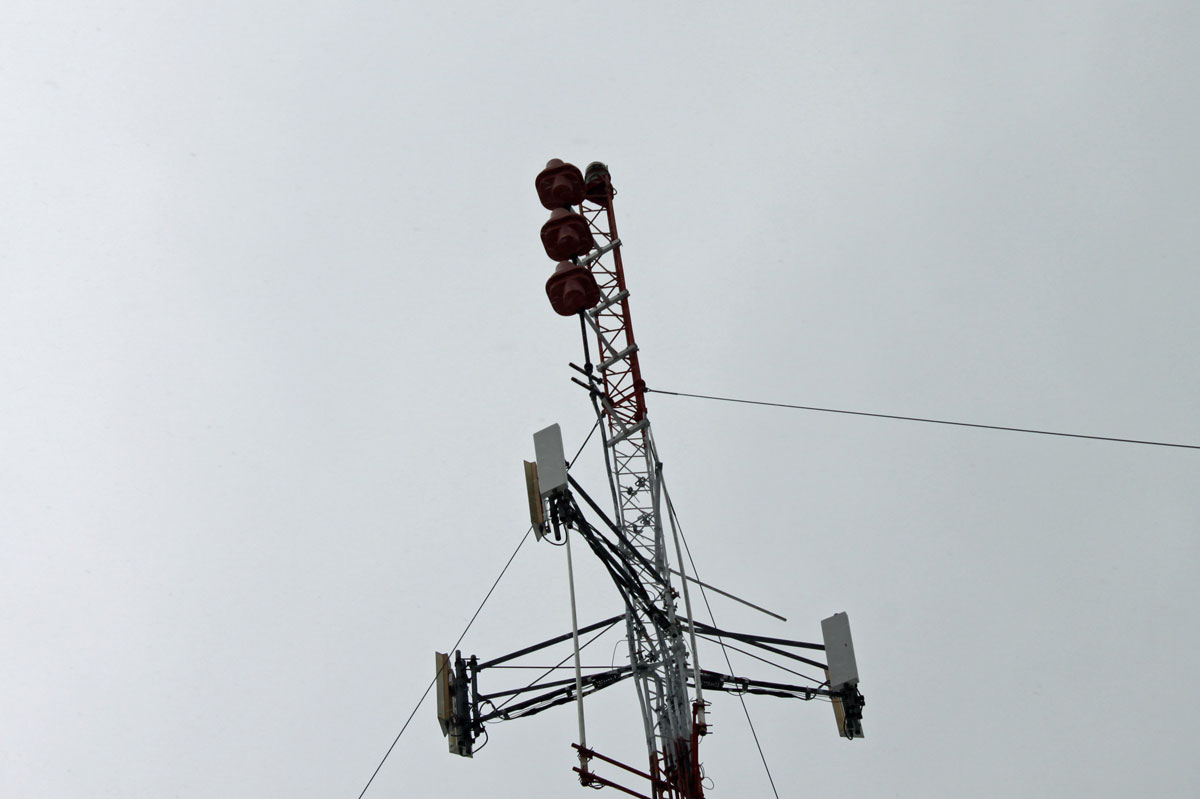
WUPE-FM 3 bay half wave spaced Shively antenna

WUPE-FM antenna installed on the original broadcast tower.  I believe the tower dates from 1959 or so.

It is important to get this type of installation right the first time.  Creating interference all around or above the FM band is never a good strategy.  Going back to ask for more funds to make something right is also highly frowned upon.

The AM Receiver problem

The technical problems with AM broadcasting can be broken down into three broad categories:

  • Interference from other AM stations
  • Interference from unintentional radiators (AKA electrical noise)
  • Poor receivers

Much of the poor fidelity issues with AM broadcast audio come from the narrow IF bandwidth of the typical AM receiver.  Older AM receivers had much wider IF bandwidths, sometimes as much as 15 KHz +/- carrier.  As the AM band was overfilled with stations starting in the late 1940s, this became a big problem.  The tube-type front ends with great sensitivity but not very much selectivity was unable to cope with adjacent channel interference, leading to what was known as “monkey chatter.” This type of interference can be technically described as the higher audio frequency peaks from adjacent channel stations being demodulated.  Those hearing this type of interference found it very annoying and rightly so.  Thus, receiver manufacturers were deluged with complaints about the poor quality of their units.  The solution was simple; narrow the bandwidth until the “monkey chatter” disappeared.  This new de facto standard IF bandwidth turned out to be +/- 3 KHz carrier.

It does not take a rocket scientist to see that 3 KHz audio is slightly better than telephone quality.  This was the beginning of the perceived AM low fidelity problem.  In the meantime, FM broadcasting, after years of lagging behind in spite of its superior audio, made great strides into mainstream acceptance.

NRSC-1 was supposed to reduce this type of interference by limiting AM broadcasting stations’ audio bandwidth to 10 KHz.  The idea was to attempt to keep the modulation index somewhat within the allotted channel.  This standard was mandated by the FCC in 1989, after which receiver manufacturers were to change their design to allow for broader IF bandwidths, thus improving AM fidelity.  There was even an AMAX standard adopted by some receiver manufacturers.  Unfortunately, by this time, the majority of AM stations were transitioning from music to talk radio.  The new standards were too little much too late.

A quick scan with a quality AM receiver shows that many stations are transmitting high-quality audio, which, with a properly adjusted IF bandwidth can sound remarkably good:

Screen shot - WEOK true oldies channel
Screen shot – WEOK True Oldies Channel

This is a screenshot from an SDR (Software Defined Radio) showing WEOK, Poughkeepsie, NY broadcasting the True Oldies Channel.  The signal strength is slightly low, but this is a rural area and the noise floor is also low.  I limited the bandwidth to +/- 7.5 KHz carrier because of the pre-emphasis used on most AM stations makes the high-end sound strident.  Looking at the spectral display, there is more audio available beyond what I am listening to.  This brings me to this; AM fidelity is not inherently inferior, it can sound quite good.  There is no reason why AM receiver manufacturers cannot improve their products to include some advanced features;

  • Variable IF bandwidth based on signal strength
  • Variable user selected IF bandwidth
  • Sharp selectivity – adjacent channel rejection
  • Selectable sideband demodulation (carrier plus upper or carrier plus lower sideband)

While this will never sound as good as FM stereo, it still can sound pretty good, especially with older music recorded before say 1975 or so.

Manufacturers would have to have some impetus to include these features in their chipsets, such as multiple requests by listeners who are looking for better AM quality, which leads us back to programming…

The other issues with AM electrical noise reception and interference from other radio stations are surmountable, so long as there is a reason to.  This, leads us back to… programming.

Repairing a computer monitor

I have seen many a Dell LCD computer monitor go south for want of a $0.50 part. Dell must have gotten a hold of a bad batch of capacitors because almost invariably, the problem is with the power supply capacitors for the backlight. The symptoms are; the monitor goes very dim and can only be read when shining a light on it, or the power button flashes green.

A new Dell 19-inch (E1914H) monitor runs about $90.00 – 110.00.  I can repair a defective unit in about 20-30 minutes or so, which makes it worthwhile for the client.  When repairing equipment, the cost of labor and parts balanced across the cost of new equipment should be a prime consideration.  Sometimes, it is simply not worth the time to repair something.  In others, like this instance, it makes sense as long as the repair is simple.

This is a Dell E198FPf LCD monitor.  After the initial diagnosis:

Dell E198FPf LCD monitor back lighting problem
Dell E198FPf LCD monitor backlighting problem

The first step is to remove the stand and the four screws behind the stand bracket.

LCD monitor stand removed

The hardest thing about this repair is getting the bezel off.  Dell uses a bezel around the monitor face that uses little plastic clips to hold it in place.  To get the bezel off, one needs to press the clips toward the center of the monitor while lifting it up.  It requires the careful application of force.

Dell E198FPf monitor bezel

I start on the bottom and use a small screwdriver in one of the slots to get it started. I start on the bottom because if the plastic gets a little marred, no one will see it when the repair is finished.  Once the first clip is released, then the others and be released by twisting the bezel carefully toward the center of the monitor while lifting.

Monitor bezel removal
LCD monitor bezel removal

Once the bezel is removed, the wiring needs to be disconnected. This consists of the backlight, the data buss, and sometimes the on/off switches, which are mounted on the bezel.

LCD monitor backlight connector
LCD monitor data buss
LCD monitor data buss connector

After all the wiring is removed, there are either two or four screws that hold the power supply to the monitor screen.

LCD monitor power supply bracket  screws
LCD monitor power supply bracket screws

Finally, the power supply board is exposed.  Depending on the model of the monitor, the hex head screws that hold the VGA connector may need to be taken off.  Sometimes not.

LCD monitor power supply

Removing the screws on the back of the power supply board exposes the capacitors and other components.

LCD monitor bulging capacitors

And the culprit is discovered. These two bulging capacitors are causing the LCD monitor backlight power supply shut down making the monitor unusable. The larger one is a 1000 uF 25 volt and the smaller is 680 uF 25 volt. I replaced both with in kind 35 volt units.  I also took the liberty of replacing the rest of the electrolytics on the power supply board (total of five additional capacitors).  While the unit is disassembled, it is far easier to replace all the $0.50 components than to do it one at a time over the next few years as each fails.  This monitor should be good for another 5 years of service at least.  These values vary somewhat from monitor to monitor.  Also, if only repairing one or two monitors, the parts can be obtained at Radio Shack for $1.99 each.

It is a good way to regenerate equipment, even if they are set aside as spares.